
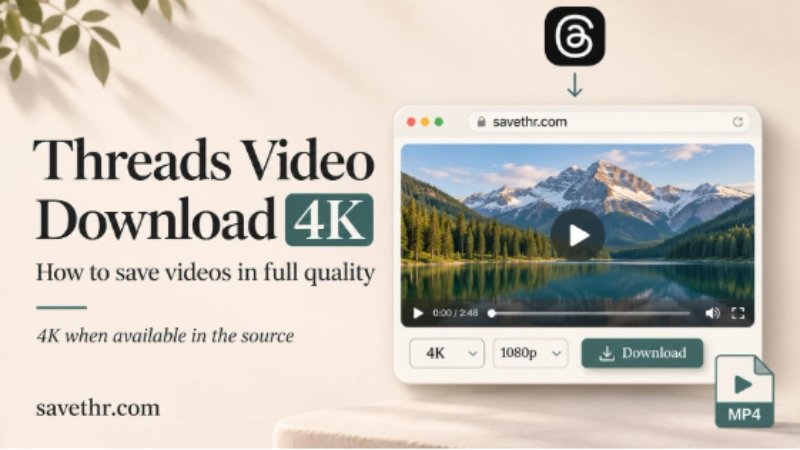
Most people don’t think about quality when they download a video. They just want the file. But if you’ve ever saved something and then opened it on a bigger screen — a tablet, a laptop, a TV — you know the difference between a sharp 4K source and a compressed 720p copy is immediately obvious.
Threads supports high-resolution uploads. Some creators post in 1080p, others in 4K. The question is whether the tool you use to save that video preserves what was actually uploaded — or quietly downgrades it in the process.
What Happens to Quality During a Download
There are two ways a downloader can give you a video file. The first is to pull the original file directly from the platform’s servers — the same file that gets served to viewers. The second is to re-encode the video on the way out, which almost always means lower quality and a different file size.
Screen recording is the most extreme version of re-encoding: you’re literally recording what’s playing on your screen, then compressing it again into a new file. Every step in that chain costs quality.
A good browser-based downloader skips all of that. It fetches the source file and hands it to you — no intermediate processing, no quality loss, no added compression.
How to Download a Threads Video in 4K
The process is straightforward and works on both Android and iPhone:
- Open the Threads post containing the video.
- Tap the three-dot menu → Copy link.
- Open your browser and go to savethr.com.
- Paste the link into the input field and tap Download.
- Select the highest available resolution — 4K if the source supports it, 1080p otherwise.
The quality options shown reflect what was actually uploaded. If the creator posted in 4K, you’ll see a 4K option. If they uploaded in 1080p, that’s the ceiling — no tool can add resolution that wasn’t there to begin with.
Does Every Threads Video Support 4K?
No. The resolution available depends entirely on what the creator uploaded. Threads accepts high-resolution video, but a lot of content is still shot and shared at 1080p or lower — especially anything recorded on older phones or exported from editing apps at reduced quality.
When you use a downloader that shows resolution options, those options are pulled directly from what Threads has stored. You’re not guessing — you can see exactly what’s available before you download.
Why Quality Gets Lost With Other Methods
Screen recording is the obvious culprit — you’re capturing a stream that’s already been compressed for playback, then compressing it again. The result is always worse than the source.
Some downloader apps also degrade quality by default, either to reduce server load or because they only access a lower-quality stream. A few add a watermark on top of the quality loss, which compounds the problem.
Using a threads video download without watermark tool that fetches the original source file means you bypass both issues. The file you get is the file that was uploaded — nothing added, nothing removed, resolution intact.
A Note on File Size
Higher resolution means larger files. A 4K video that runs two minutes can easily be 300–500MB depending on the bitrate. If storage is a concern, 1080p is usually a reasonable compromise — sharp on any phone screen, significantly smaller than 4K.
The download tool lets you choose before saving, so you’re not locked into the highest option. Pick what makes sense for how you plan to use the file.
What About Downloads on WiFi vs Mobile Data?
Your connection speed affects how fast the file downloads, not its quality. A slow connection will take longer to download a 4K file, but the file itself will be identical to what you’d get on a fast connection.
That said, downloading large high-resolution files on mobile data can eat through your data allowance quickly. WiFi is the practical choice for anything above 1080p.
Summary
Threads supports high-resolution video uploads, and saving that quality is straightforward with the right tool. Copy the post link, open the thread video downloader at savethr.com, paste the link, and select the highest available resolution. No re-encoding, no watermark, no quality loss — just the original file on your device.